Guide
How to plan and lead a group drive
By Chris Aston Chen · Updated October 2026
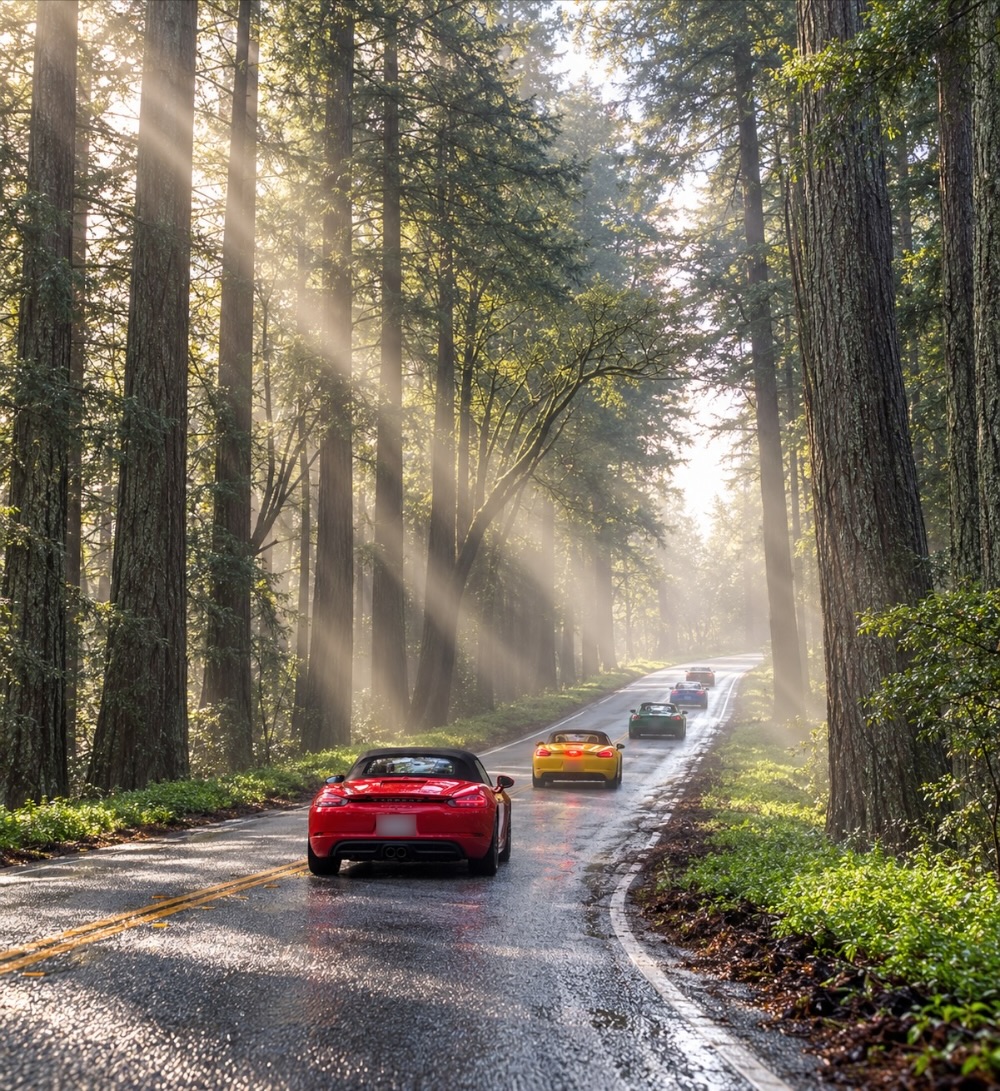
The hard part of a group drive isn't the driving. It's getting a dozen cars onto the same roads, keeping them together through towns and traffic lights, and not losing anyone where the signal drops. Here's how to set one up with Carve (carve.run), the app built for group drives and car club runs — from a monthly club drive to a weekend road rally.
Step by step
Plan the route once
Build the drive in Carve — from one of its 1,200+ drives, stop by stop in the app or on a computer at carve.run/plan, or import the route you already have: a GPX file, a Ride with GPS link or a Google Maps link (how to plan a scenic drive). Make regroup points named stops every 45 to 60 minutes: a wide turnout, a café, fuel. That's where a spread-out group comes back together.
Pick the day
Check the weather along the way, and with Carve Apex, Road conditions for wet roads, ice, fog and wind, and Popular times for when the road is usually quiet. A dry weekday morning on a quiet road makes the whole group's day.
Share one link
Tap Share and send the link to your group chat or club email, or put its QR code in the newsletter or on the meet sheet. It opens the same route in Carve on iPhone or Android — or as a web page for anyone who hasn't got Carve yet, with printed turn-by-turn directions for the paper crowd — and if you change the route later, the link stays the same and the change reaches everyone. Nobody has to rebuild anything.
Have everyone download it
Each driver turns on Available Offline on the route before leaving home (Carve Apex), so every turn keeps working in the canyons. Drivers on the free plan still get spoken turn-by-turn wherever they have signal.
Turn on Group
The first time you open a route, Carve asks how to share your place with others on it: Share Automatically or Ask Each Time. Everyone sharing the route shows on the map and the car's screen by name and photo, with how far ahead or behind they are — iPhone and Android alike. Sharing only happens at the route, while it's open or being driven, ends with the drive, and keeps no history. Seeing the group takes Carve Apex; drivers without it are still seen, and told how many are on the road.
Brief the group at the start
At the meeting point, run the Flyover so everyone sees the route in 3D, name the lead and sweep cars, and agree on the regroup stops. Then everyone taps Go Now — Carve guides each car to the route from wherever it's parked.
Keep it together on the road
The lead watches the count on the drive map and taps it to see who's how far back. A grey car is someone out of signal, shown where they were last heard from. If someone takes a wrong turn, Carve gives them directions forward to where they'll rejoin the route — nobody has to stop the group, turn around, or call them. Anyone who spots debris, an animal or a crash reports it with one tap, and the cars behind are warned before they get there.
Group drive etiquette that keeps everyone together
- Keep groups small. Six to ten cars is easy; split a bigger turnout into groups a few minutes apart, each with its own lead and sweep.
- Lead and sweep. Put experienced drivers at the front and back. The sweep stays last and stops for anyone who pulls over.
- Drive to the slowest car. Public roads aren't a track: keep to the limits, and never run a light to keep up — the route and the group map will wait.
- Mark the turns where it's tricky. The old drop-off system — the car behind the lead waits at a turn until the sweep arrives — is still a good backup at confusing junctions, or for anyone driving without the route.
- Hands off the phone. The driver drives; a passenger, CarPlay or Android Auto handles the map. Spoken turns mean nobody needs to look.
- Start full. Fill up before the meeting point, and put fuel on the route as a stop if the drive is long.
Planning a road rally or multi-day tour?
- One route per stage or day. Each gets its own link, so drivers open today's route and nothing else.
- Checkpoints as named stops. Each car hears it announced on arrival, and it ticks off on that driver's list.
- Download everything the night before. Remote rally roads are where signal disappears first.
- Know what Carve isn't. It plans, guides and keeps the group together; it isn't a timing or scoring tool for competitive rallies.
Questions
What's the best app for group drives?
Carve is built for them: plan the route once, share one link that opens on iPhone, Android or the web, and everyone drives the same route with spoken turn-by-turn that never re-routes. With Group, everyone on the route shows on the map and the car's screen by name, with how far ahead or behind they are, and with Carve Apex the route keeps working with no signal. Everyday map apps like Google Maps and Waze can share a location, but don't have a group drive.
How do you keep a group of cars together on a drive?
Keep the group to six to ten cars, put experienced drivers in the lead and sweep positions, plan regroup stops every 45 to 60 minutes, and give everyone the same route. In Carve, the lead can see every car on the map and how far back it is, and anyone who takes a wrong turn gets directions to rejoin the route ahead.
Does everyone need Carve Apex?
No. On the free plan, everyone gets the shared route, spoken turn-by-turn while they have signal, and directions back after a wrong turn, and they share their place with the group. Carve Apex adds seeing the whole group on the map, offline maps for no-signal roads, and CarPlay and Android Auto. Many clubs make sure at least the lead and sweep cars have it.
Can iPhone and Android drivers see each other?
Yes. A Carve route and Group work across iPhone and Android, and on CarPlay and Android Auto.
Can I plan the club drive on my computer?
Yes. The free planner at carve.run/plan builds the route on a big screen, or imports the GPX or Ride with GPS route you already have. Saving it gives the link to share, a QR code, and printed turns.
What about members who don't have the app?
The link opens as a web page with the map and the route, and they can print the turn-by-turn directions. Joining in the app is free.
Who can see my location during a group drive?
Only people sharing the same route, and only while you're at the route — it never shares from farther away, ends with your drive, and keeps no history. On Carve's public drives that can include other drivers you don't know. You can hide or report anyone from their card.
Can I use Carve for a road rally?
Yes, for road rallies and tours: one route per stage, checkpoints as named stops, everything downloaded for no signal, and the group on the map. It isn't a timing or scoring tool for competitive rallies.
Related: How to plan a scenic drive · Joinr alternative for group drives · ROADS by Porsche alternative · Best apps for scenic and group drives, compared
Chris, who makes Carve, has been a member of the Porsche Club of America's Golden Gate Region since 2023 and drives with the club every month. Carve is independent, and isn't affiliated with or endorsed by the Porsche Club of America.